From time to time you might need to update the credit/debit card you have on file for your automatic payments. Or, you might need to update your billing contact name or person. You can easily do both the above by following these steps.
Step 1
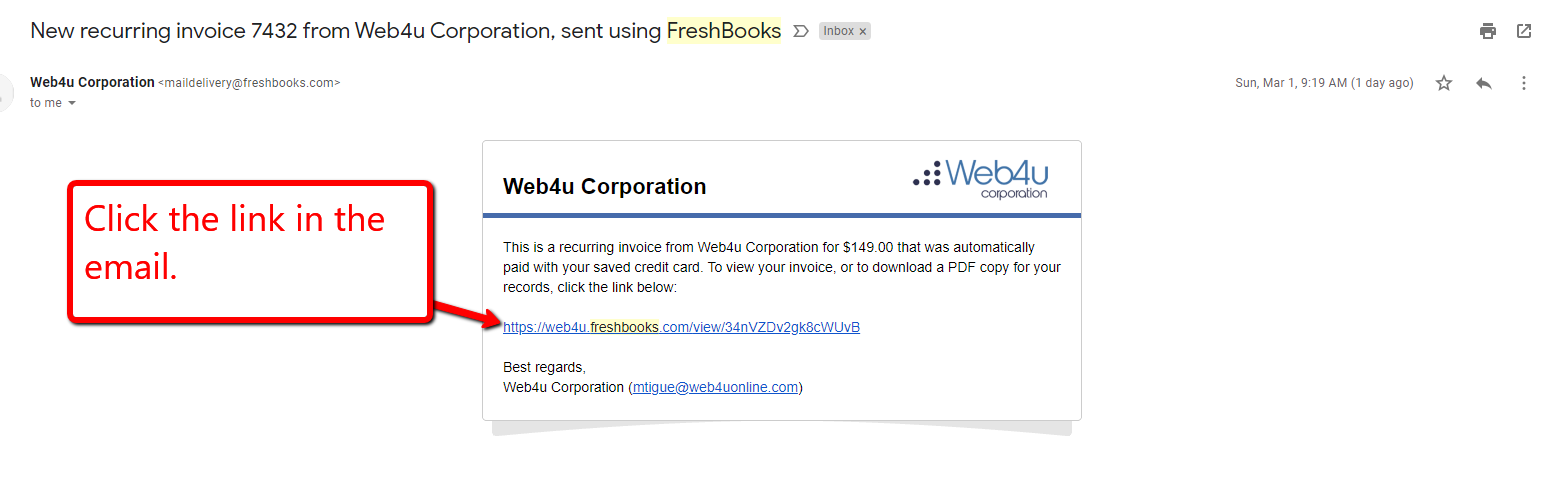
Search your emails for an email that contains the word "Freshbooks". Look for an email from "Web4u Corporation" that has "New Recurring Invoice" in the subject line.

Step 2
Click the link in the email.
Step 3
Click "Update Credit Card"

Step 4
Enter your new card info and click "Save Card".
0 Comments