If we are transferring an app into your Apple Developer Account, you will need to approve the transfer. Here are the steps for doing so.
1. Log into App STore Connect: https://appstoreconnect.apple.com/
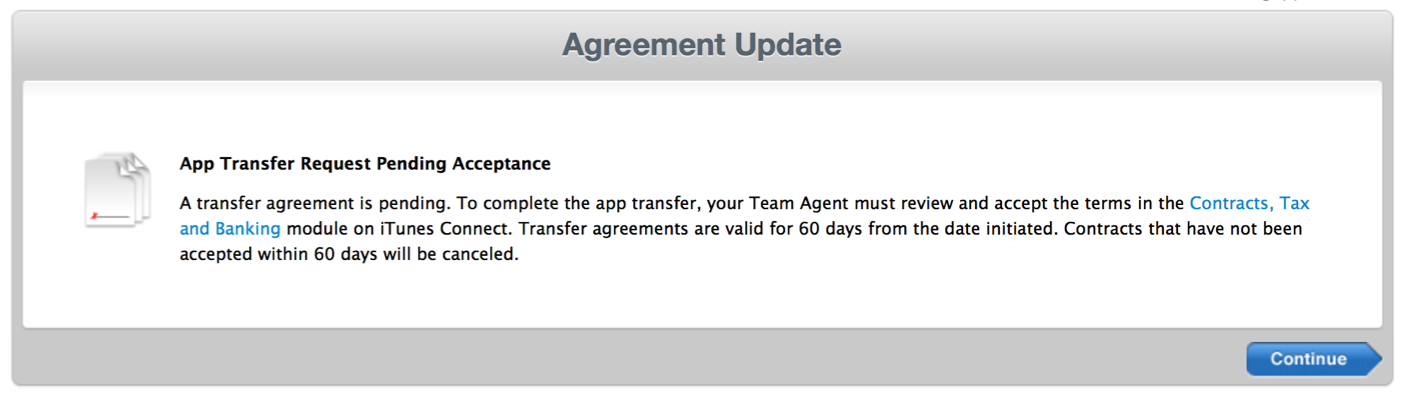
You'll see an Agreement Update for an App Transfer Pending Acceptance
2. Click on Agreements, TAX, Banking

3. Under Transfer Agreements, you'll see the transfer below Contracts in Progress. Click Review.
4. Input the new metadata associated with the receiving account. You can skip over fields that aren't required, unless applicable.
- Support URL: (Enter your organization's website address)
- App Review Contact Information: (Web4u | info@web4uonline.com)
- App Store Contact Information: (Your contact information)
5. Read over the contract and check the agreement box. Click Accept to complete the transfer.
Note: App transfers can take some time to register. During this time, the status will read "Processing App Transfer." Once complete, the app will disappear from the transferring account and appear in the My Apps section of the receiving account.
0 Comments