Sometimes you might be selling items in various quantities such as tickets to events. If the user could purchase up to 50 tickets, you probably don't want to have a drop down field with 50 price options. Instead, it would be easier to let the user enter the quantity desired and have the Form Builder multiply the number of tickets desired by the ticket dollar amount.
There are 3 steps to doing this.
1) Create a dropdown, checkbox, multiple choice, or price field which will contain the item or items that will be multiplied.
2) After you create the above, go to the "Payments" page from the "form Manager" view. In the payments area, assign the dollar amounts to the item created in step 1. You may need to watch the introductory video on payment processing to learn the basics of how this setting works.
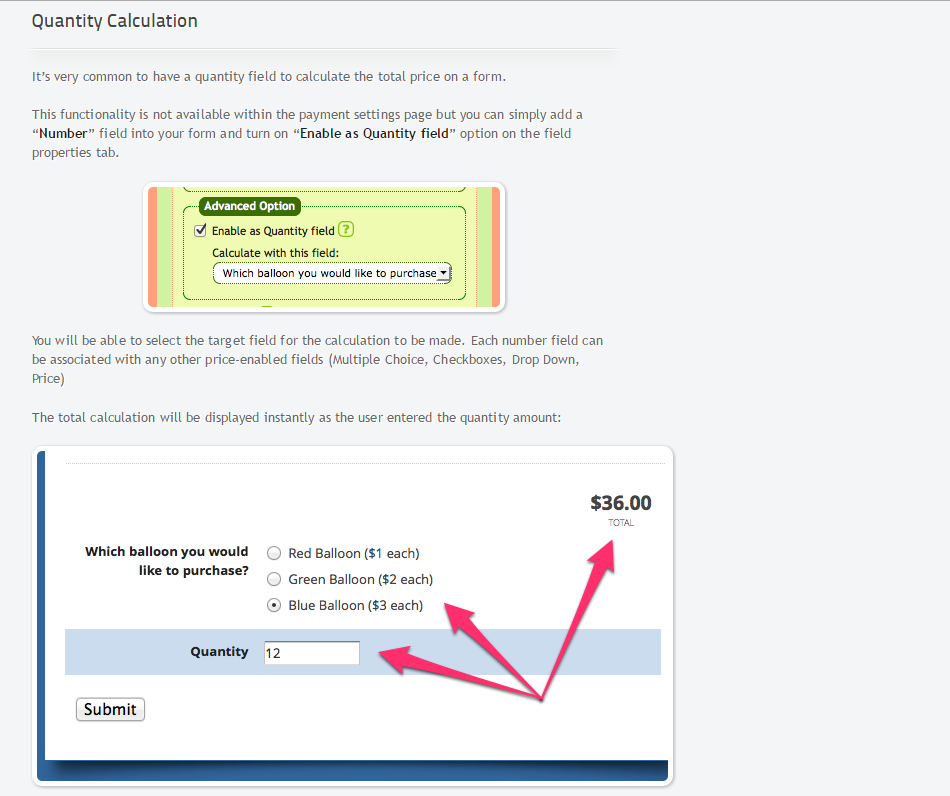
3) Go back to the form in "edit" view and add a number box to the form. In the field properties tab for the number box, click on the advanced setting box called "Enable as Quantity Field". Then, choose the field made in #1 as the field to calculate with.
Here is a screenshot that may help: http://www.screencast.com/t/6edwBc9FNEvq
You can click on the below image/tutorial to enlarge it.
0 Comments